Categories
service

The Best Trading Strategies for Success on MetaTrader 4

MetaTrader 4 (MT4) remains one of the most popular platforms for trading forex, CFDs, and other financial instruments worldwide. Its robust features, user-friendly interface, and advanced analytical tools make it a go-to choice for traders at all levels. However, success on MT4 doesn’t happen by chance; it requires well-thought-out strategies tailored to the platform’s unique capabilities. Here, we break down some of the best trading strategies to maximize your potential on Metatrader 4.

1. Trend Following Strategy

A trend following strategy is one of the simplest yet most effective ways to trade on MT4. It involves identifying and riding market trends until they show signs of reversal. With MT4’s powerful charting tools, traders can analyze price movements and use indicators like Moving Averages (MA) or the Average Directional Index (ADX) to confirm trends.

For instance, when a 50-day moving average crosses above a 200-day moving average (known as the Golden Cross), it typically signals an upward trend. By placing trades in the direction of the trend, you reduce risks associated with volatile counter-trend movements.

2. Breakout Trading

Breakout strategies are excellent for traders looking to capitalize on price action when markets break through support or resistance levels. MT4’s customizable alerts make it easy to set notifications when prices cross key thresholds.

For example, if EUR/USD breaches a long-standing resistance level, traders can enter buy positions to benefit from upward momentum. Combine this with tools like Bollinger Bands or Fibonacci Retracement levels on MT4 to better identify potential breakouts and reduce the risk of false signals.

3. Scalping

Scalping is a popular strategy for traders who prefer making quick, small profits throughout the day rather than waiting for long-term gains. MT4 features fast execution speeds, making it an ideal platform for implementing scalping strategies.

To succeed in scalping, focus on highly liquid currency pairs like EUR/USD or GBP/USD and utilize MT4’s 1-minute or 5-minute charts. Indicators such as the Stochastic Oscillator or Relative Strength Index (RSI) can help identify overbought or oversold conditions in short timeframes.

4. Risk Mitigation with Stop-Loss and Take-Profit Orders

Even the best strategy can encounter unexpected market reversals. That’s why it’s crucial to integrate stop-loss and take-profit orders into all your trades. MT4 allows traders to set these parameters easily, helping to minimize losses and lock in profits automatically. For example, if you’re working with a high-risk breakout strategy, setting a stop-loss just below the support level can protect your capital in case the breakout fails.

Keys to Consistent Success

The true key to success on MetaTrader 4 is consistency. This involves:

• Backtesting your chosen strategy using MT4’s Strategy Tester to evaluate its effectiveness.

• Staying updated with economic news through MT4’s news feed to anticipate market movements.

• Continuously optimizing and adjusting your approach based on analytical insights.

By combining these steps with the strategies highlighted above, traders can make the most of MetaTrader 4’s capabilities and stay ahead in today’s dynamic markets.

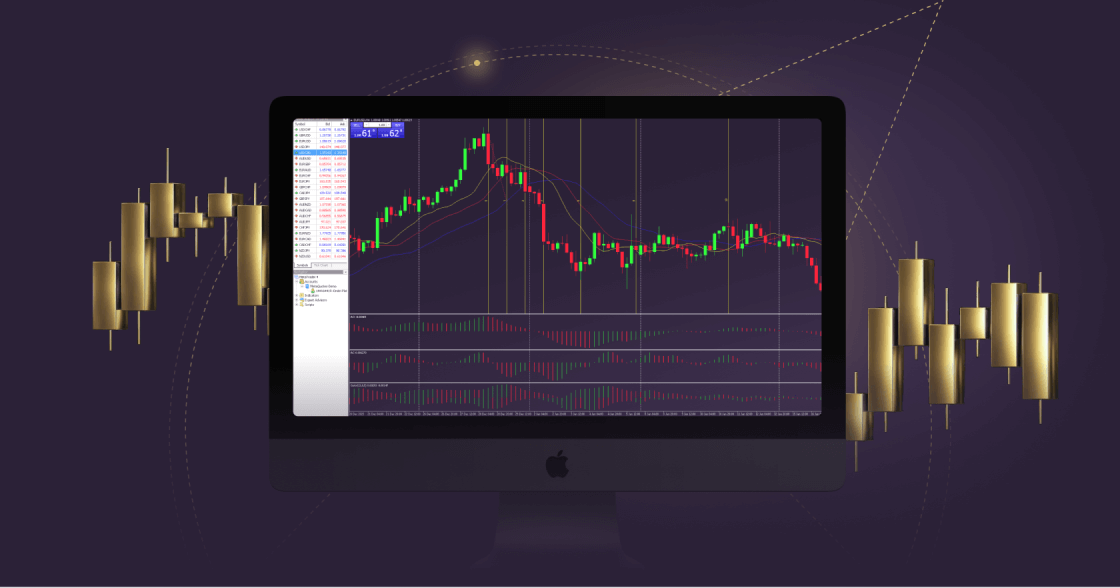
Categories
service

MetaTrader 4: A Complete Guide to Mastering the Trading Platform

Metatrader 4 (MT4) is a powerhouse in the world of online trading, known for its rich features, flexibility, and intuitive design. Whether you’re a beginner dipping your toes into forex or a seasoned trader managing diverse portfolios, MT4 delivers a robust platform to execute trades with efficiency and precision. This guide explores key features of MT4, helping you unlock its full potential for your trading strategy.

What is MetaTrader 4?

MetaTrader 4, developed by MetaQuotes in 2005, is a widely used trading platform in the forex market but also supports commodities, indices, and cryptocurrencies. Its popularity stems from its user-friendly interface combined with sophisticated tools for market analysis and automation.

MT4 is compatible with desktop, web, and mobile devices, ensuring seamless trading anytime, anywhere.

Key Features of MetaTrader 4

1. Comprehensive Charting Tools

MT4 offers dynamic charting tools that allow traders to analyze price movements with precision. You can use multiple chart types (line, bar, candlestick) and apply over 30 built-in technical indicators such as Moving Averages, RSI, and Fibonacci retracements for data-driven decisions.

2. Algorithmic Trading

One of MT4’s standout features is its support for Expert Advisors (EAs). These automated trading scripts execute trades based on pre-set criteria, saving you time and removing the emotional aspect of trading. Advanced users can even create custom EAs using MetaQuotes Language 4 (MQL4).

3. Risk Management Options

MT4 offers tools to manage trading risks effectively. Features like stop-loss orders and trailing stops ensure you can limit losses while maximizing potential profits.

4. Market Navigator

Stay ahead of trends with MT4’s real-time market updates and news feeds. Having the latest market statistics at your fingertips helps you react swiftly to changes in conditions.

Why Choose MetaTrader 4?

MT4 remains a go-to platform despite the introduction of other trading applications, primarily due to its reliability and resource efficiency. Its adaptability to beginners and professionals alike makes it a universal tool. Additionally, brokers worldwide support MT4, further solidifying its unparalleled trust and usability in the trading ecosystem.

Make MT4 Your Trading Ally

Mastering MetaTrader 4 involves leveraging its tools to enhance your trading outcomes. Start by exploring its demo account to familiarize yourself with its features. Whether you aim to strategize better or automate trades, MT4 will undoubtedly elevate your trading game.

Categories
service

How to Set Up MT4 for Windows: A Complete Guide


MetaTrader 4 (MT4) has established itself as a go-to platform for traders worldwide. Its flexibility, user-friendly interface, and powerful tools make it an essential choice for those trading in forex, commodities, and other financial instruments. Setting up mt4 for windows system may seem like a daunting task at first glance, but it’s quick and straightforward when broken down into simple steps. This guide will walk you through the process.
Downloading MT4
The first step in setting up MT4 for Windows is to download the platform. Navigate to the official website of the broker you’ve chosen; most brokers provide a direct download link for MT4. Make sure to download the Windows-compatible version of the software for seamless functionality. Always rely on trustworthy sources to avoid downloading malicious or outdated software.
Installing the Software
Once the download is complete, locate the installation file (usually named `terminal.exe`) in your Downloads folder and double-click it to begin the setup process. A wizard will appear to guide you through the installation.
•Read through the license agreement, and click “Agree” if you’re satisfied.
•Choose the destination folder where the application will be installed or use the default location.
•Press “Next,” and the installation process will begin.
The entire process typically takes just a couple of minutes to complete, depending on your system’s hardware.
Logging in to MT4
After installation, launch MetaTrader 4 from your desktop shortcut or the installation directory. To start trading, you’ll need to sign in with your broker-provided credentials.
•Open the platform and click on “File” in the top menu.
•Select “Login to Trade Account” and enter the provided account number, password, and server details.
If you experience issues during login, double-check your credentials and ensure your internet connection is stable.
MetaTrader 4 frequently receives updates to improve functionality and security. Ensure auto-updates are enabled or periodically check the platform for manual updates for optimal performance.
By following the above steps, you can set up and customize MetaTrader 4 on Windows easily. Once configured, MT4 becomes a powerful tool for executing trades, analyzing data, and staying competitive in the fast-paced trading world. Happy trading!